Are you an avid collector of Lego® sets and looking for a way to manage your Lego collection? With the Brickfact app you can keep track of your Lego sets, follow their value and discover good deals.
The Brickfact app is great for:
- Parents looking for Lego sets for their children at a good price.
- Investors looking for new sets for their investment portfolio.
- Collectors who want to keep track of their Lego sets and their value.
The app and all of its features are free, without a subscription or in-app purchases. You can record your Lego collection and see at a glance which sets you already own and what they are worth. New deals appear in the Savings tab, and if you like, a push notification tells you about them straight away. Thousands of sets can be searched and filtered in the database.
Lego® collection tracker
The Brickfact app makes it easy to manage your Lego collection. You always know which sets are in your collection, what you paid for them and how their market value has developed since.
Collection - Statistics
Under Statistics you can follow the value of your Lego® collection in detail.
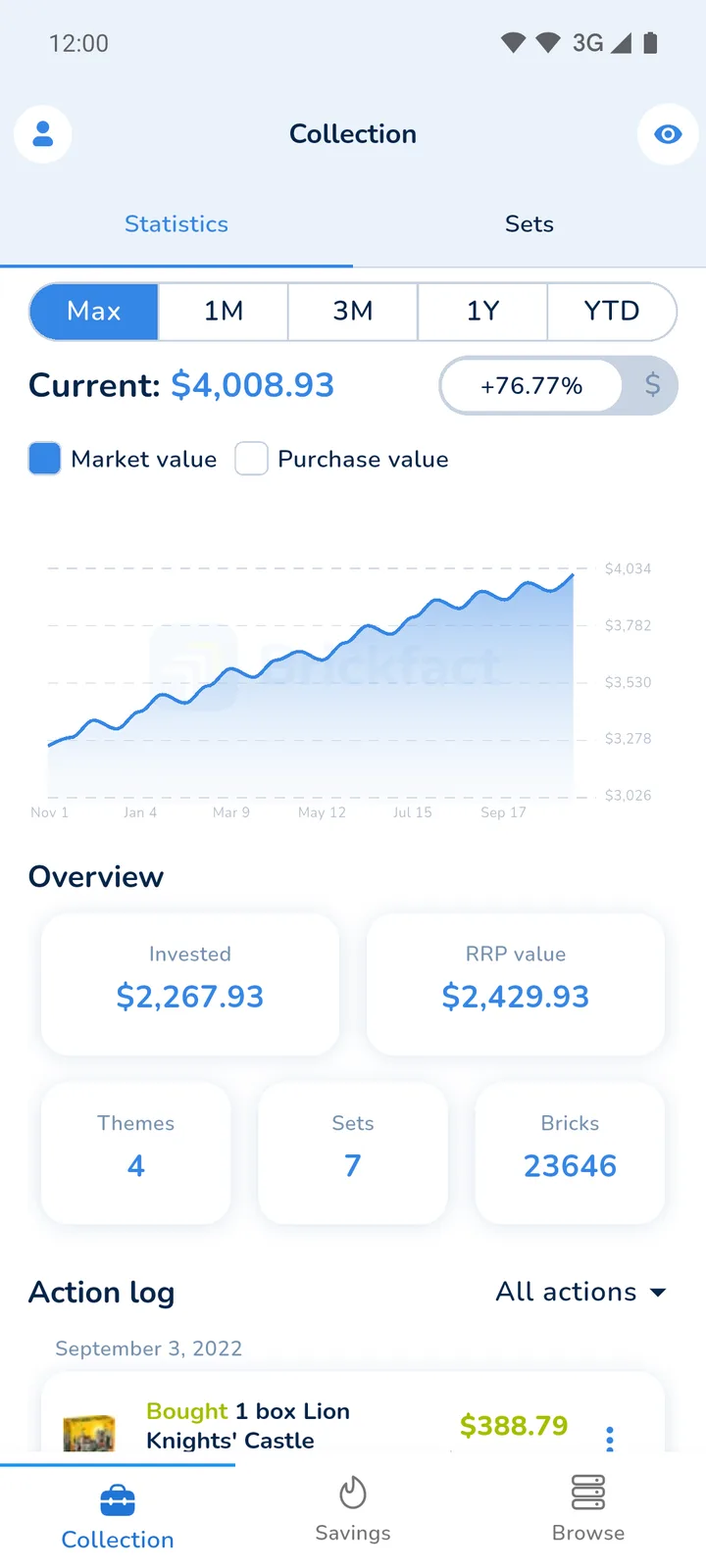
The chart shows the market value of your collection over time. You can switch between the periods Max, 1M, 3M, 1Y and YTD, show the purchase value as a second line and display the change either in your currency or as a percentage. This helps you assess past purchases and plan future Lego investments. The overview below the chart shows:
- Invested capital
- RRP value of your collection
- Number of themes
- Number of sets
- Total number of bricks
Your profit or loss and the return are shown alongside the market value and the purchase value.
If you open the app in public, the privacy mode hides all amounts in your collection.
Sets - Collection
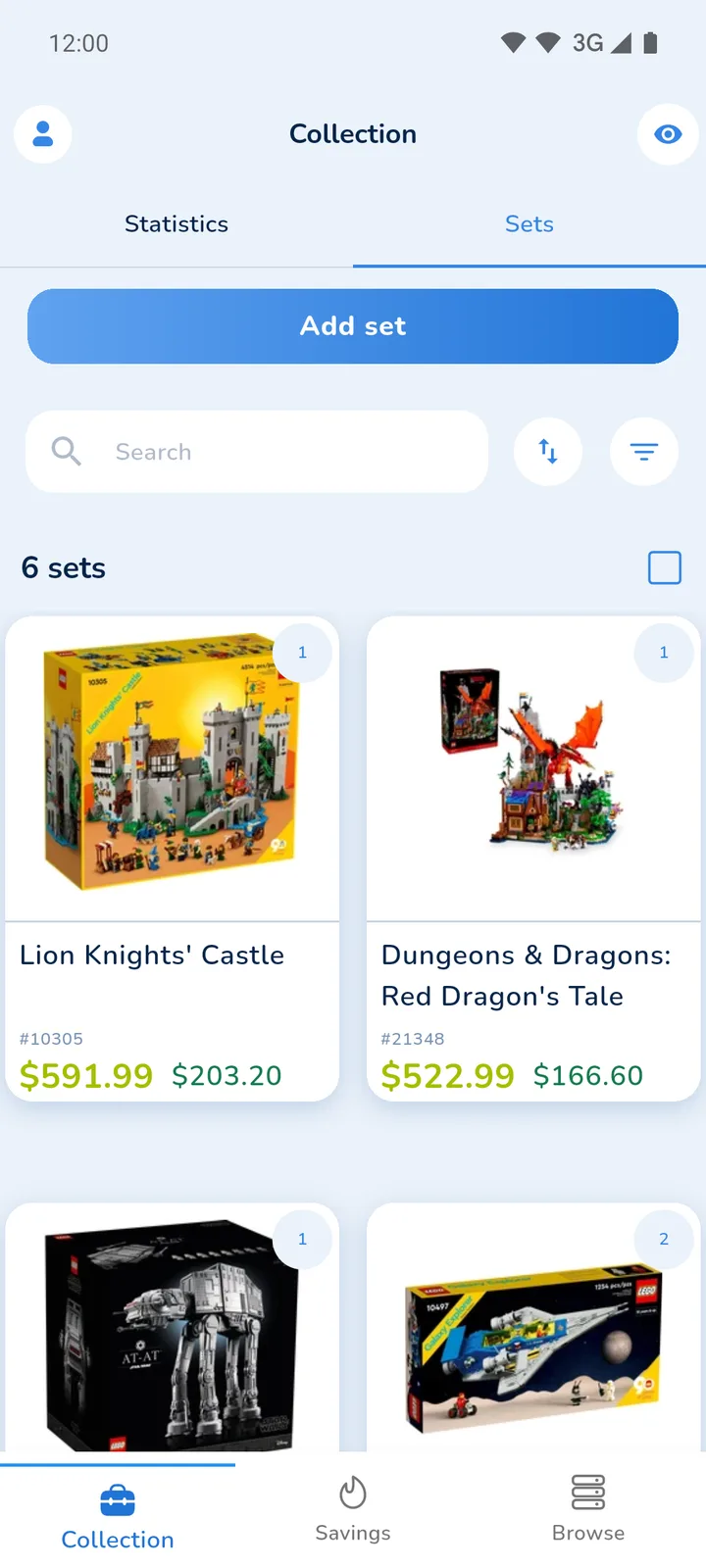
The Sets page shows you which Lego® sets are in your collection. You can sort them by value gain, retirement status, price or release year, for example to see which sets have gained the most, and filter them by market value, number of pieces, release year, retirement status and theme.
Add Lego® Sets to the Collection
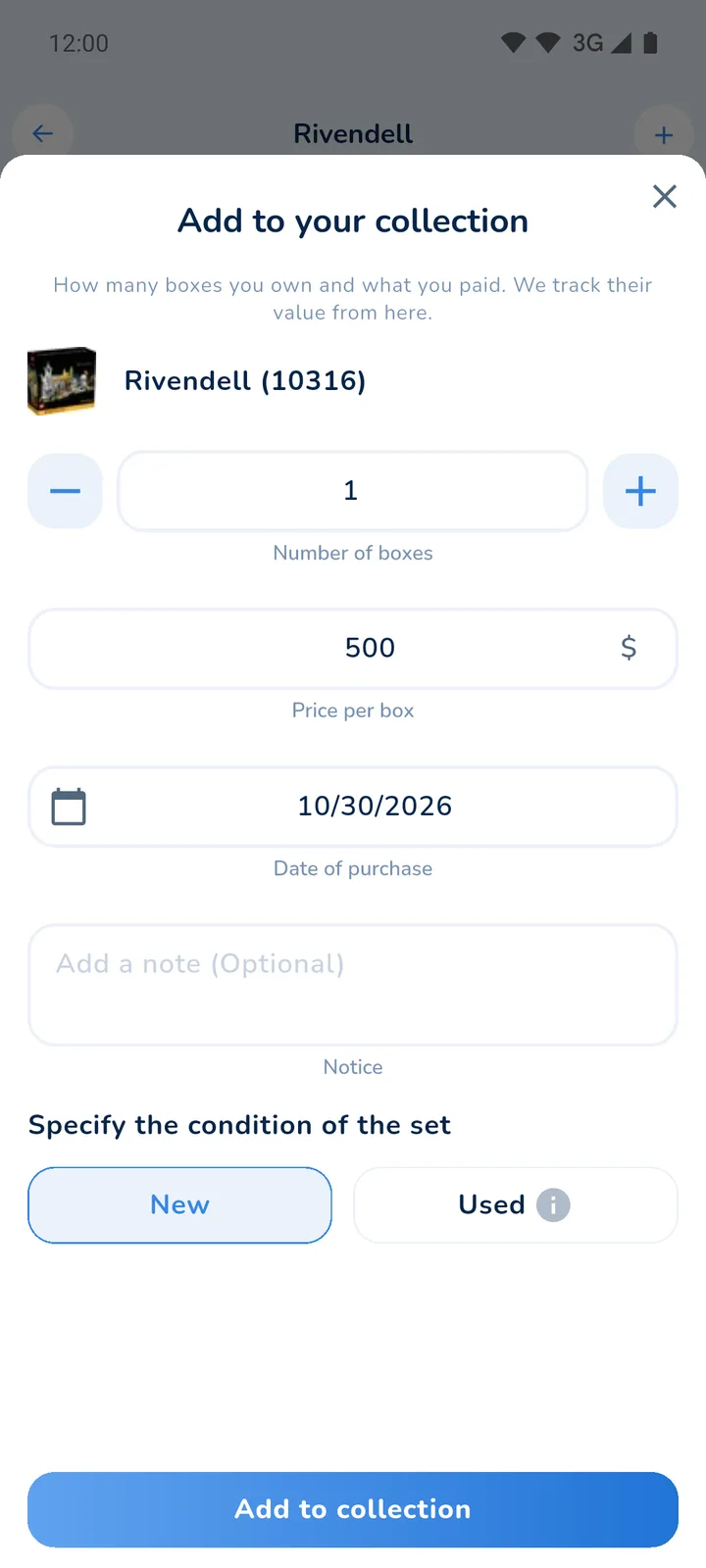
Adding a new Lego® set to your collection or recording past purchases only takes a few steps:
- Open the set and tap the plus button
- Enter the number of boxes and the price per box
- Enter the date of purchase
- Choose the condition (new or used) and add a note if you like
For used sets you can specify whether the set is unopened with damaged packaging, opened with or without box and instructions, or incomplete. The app lets you record a few transactions without an account. For a larger collection it asks you to sign in with Google, Apple or an email link.
Tip
Did you enter something wrong? You can edit every purchase and sale afterwards. The action log also lets you update or delete entries and undo a change.
Remove Lego® sets from the collection
Removing sets from your collection is just as easy as adding them. Open the set in your collection and record a sale with the number of boxes, the sale price and the date. Brickfact then calculates your profit or loss for this set.

Your collection on brickfact.com
Your collection is not limited to the phone. In the Lego collection tracker on brickfact.com you sign in with the same Google, Apple or email account and see the same sets, purchases and sales. Changes appear in the app and on the website. Your collection stays private and is not indexed by search engines. If you only want to know what a single set is worth, the Lego value checker works without an account.
The best Lego® deals
Who hasn't experienced it: there's a good Lego® deal and you were too slow again. Many good offers are only available for a few minutes or hours before they sell out. The Brickfact app helps you catch them in time.
The deals are in the Savings tab. Each deal shows you the price, the discount and the retailer, and you can rate it with a tap. From a deal you can also set a price alert if you want to wait for an even lower price.
Popular sets that were out of stock also show up here when a retailer has them again. They are marked as available, so you can order before they sell out once more.

Push notifications - Deals directly on your smartphone
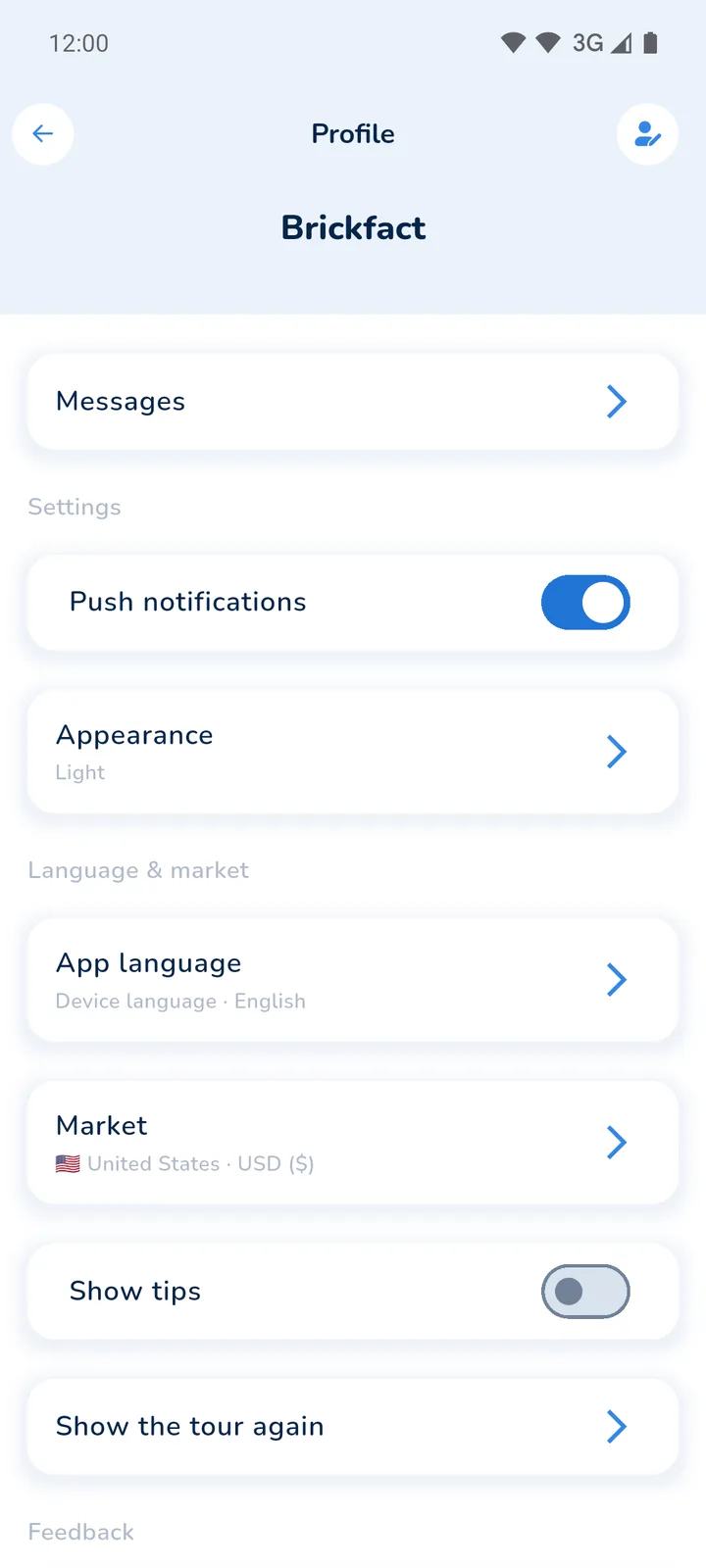
So that you don't miss any Lego® offers at bargain prices, the app can send you push notifications. You can switch them on and off in your profile under "Push notifications". In addition, a home screen widget on Android and iOS shows the newest deal and the value of your collection.
Lego® Sets for Investors
For investors, timing matters. On every set page, Brickfact shows the retirement status of the set and, where known, the expected retirement date. EOL (End of Life) describes the point in time when Lego discontinues a set.
EOL status
At Brickfact we distinguish between the following retirement statuses:
- Unknown Retirement
- Begin of Life
- Middle of Life
- Nearing Retirement
- Already Retired
Many collectors buy sets with the status "Middle of Life" or "Nearing Retirement" for investment, because discounts are still available and the end of production is in sight. In the Browse tab, the "Retiring soon" shortcut lists these sets directly. Whether a set is a good investment still depends on the theme, the price you pay and demand after retirement.
Set Personalized Price Alerts
Personal price alerts help you build your Lego® collection more affordably. With the Lego price tracker you set a desired price for any set by tapping the bell on the set page. As soon as the set reaches that price, you get a push notification. The app suggests a target 5% below the current best price, and the price history helps you choose a realistic one. Our step-by-step guide shows the whole process.

All price alerts and saved sets are in the Savings tab under Price alerts. There you can filter and sort them, change your desired price or remove alerts that you no longer need.
The Brickfact Lego® Price Comparison
The Brickfact database covers thousands of Lego sets, from current sets in shops to long-retired ones. For sets that are still available, you can compare the offers of many retailers.
Lego® Price Comparison
Search for a set in the Browse tab or scan its box. On the set page, the Buy at tab lists every retailer currently stocking the set, cheapest first and with shipping included. Under Info you find the RRP, the market value, the set number, the number of pieces, the release date, the retirement status, the part-out value and further details such as age range, building time and packaging dimensions. Everything important at a glance.

Filter options
You don't know exactly which Lego® set you want? Filters help you find a set that suits you.
You can choose from the following filters:
- Price
- Discount
- Number of pieces
- Release year
- Retirement status
- Theme
Shortcuts such as "30%+ off" or "Retiring soon" apply common filter combinations with one tap. You can sort the results by discount, price or release date.

Price history
On the set page under Info, the "Market Price" chart shows how the value of a set has developed. You can choose the time period and see the highest and lowest value. This helps you analyse and evaluate potential new Lego investments. On a laptop you can browse the same data in the Lego database.

The Brickfact App - An all-round talent
In summary, the Brickfact app brings together everything you need to manage your Lego® collection and buy new sets at a good price.
You track your purchases and sales and see the market value of your collection, in the app and on brickfact.com. Deals and personal price alerts help you buy at the right time, and the price comparison and price history show you whether an offer is really good.
Whether you want to expand your collection or follow your investments, the Brickfact app is free and available here for iOS and Android.